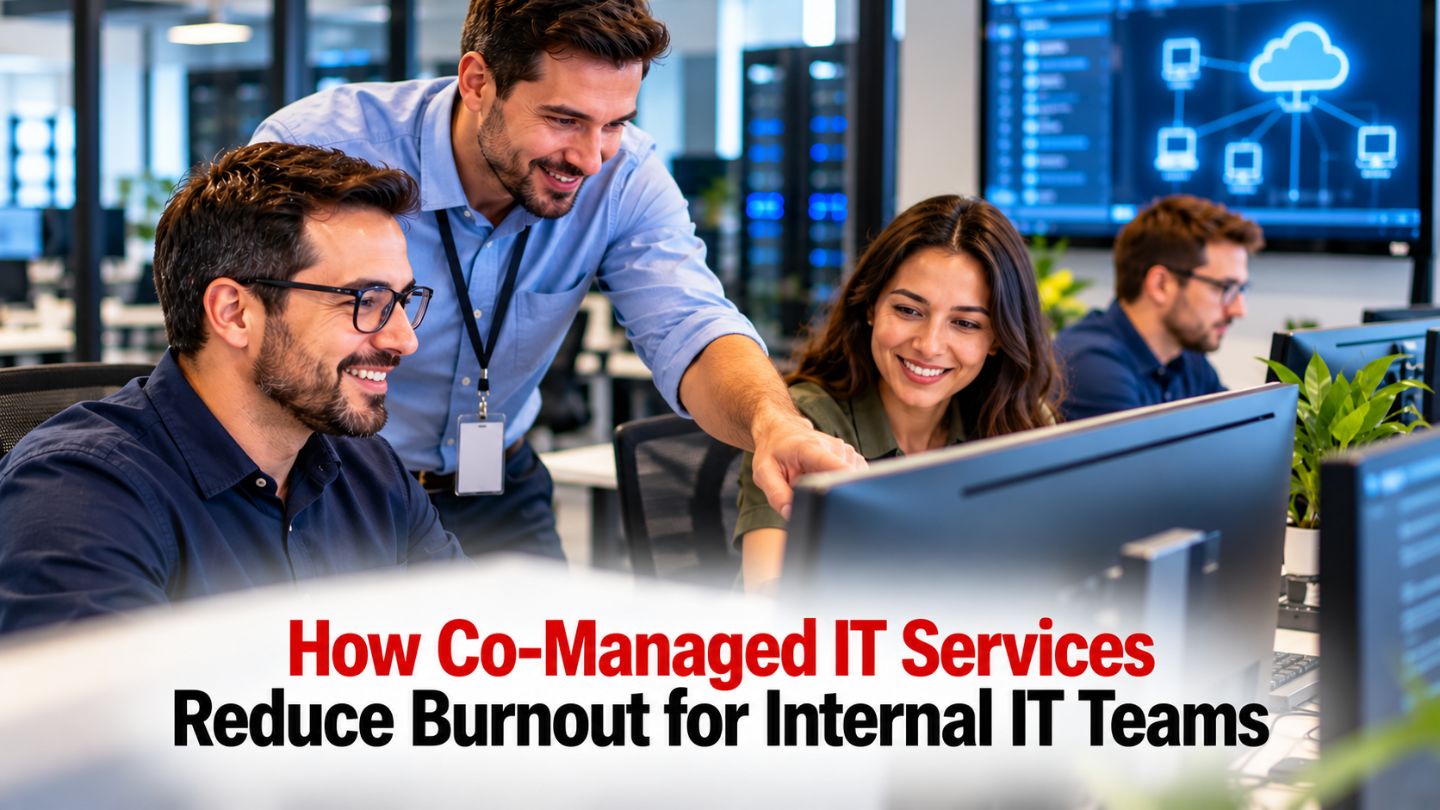
Your internal IT team is stretched to the limit. Tickets pile up before lunch, after-hours alerts steal evenings and weekends, and the strategic projects that could actually move the business forward sit untouched on a whiteboard gathering dust. If you have ever wondered how co-managed IT services reduce burnout for internal IT teams, the answer is not about replacing anyone—it is about giving your people room to breathe, focus, and do their best work. This article walks through exactly how a co-managed model relieves pressure, protects morale, and makes the daily reality of IT work sustainable again.
Key Takeaways
- Co-managed IT offloads repetitive, high-interrupt tasks so your internal IT team can redirect energy toward strategic initiatives and meaningful projects.
- Shared responsibility between internal staff and an external partner can lower chronic stress and ease the conditions that lead to burnout.
- Co-managed IT services can improve service quality for end users without replacing your internal IT department—your team stays in control of strategy and decision-making.
- The model provides access to specialized expertise in areas like cybersecurity, cloud infrastructure, and compliance without requiring new full-time hires.
- If your IT team is showing signs of burnout, reaching out for guidance on co-managed support is a practical first step toward lasting relief.
What Co-Managed IT Really Means for Internal IT (Beyond a Buzzword)
Many IT directors have heard the term “co-managed IT” tossed around, but few conversations explain what it actually changes about a typical Monday morning for an overworked admin. At its core, co-managed IT services create a partnership where your internal IT team keeps ownership of business knowledge, strategic leadership, and the systems closest to daily operations, while a managed services partner takes defined responsibility for tasks that drain time and energy.
This is not about handing the keys to an outsider. It is about choosing which parts of the workload to share—monitoring, patch management, after-hours escalation support—so your in-house team is freed from constant pressure without losing internal control. Your IT department still drives decisions, maintains relationships with users, and shapes how technology investments support business goals.
Picture a growing business in Metro Atlanta with a lean IT department—maybe a single IT director and one technician. They handle everything from password resets and printer issues to cloud migration planning and security incidents. Co-managed IT means they can hand off continuous monitoring and help desk overflow to a services partner, keeping their hands on the work that requires institutional knowledge and strategic guidance.
How Co-Managed IT Differs from “Fully Outsourced” IT
- In a fully managed or fully outsourced model, an outside service provider runs all daily IT operations. The internal IT team may shrink dramatically or disappear entirely.
- In a co-managed model, the internal IT department remains central. The team chooses what to keep in-house—like line-of-business applications and sensitive data management—and what to share, such as patching, backups, or proactive monitoring.
- Co-managed IT services act as a strategic force multiplier for internal IT departments, adding capacity and deep expertise rather than displacing people.
- This shared approach is the key to reducing burnout because it supports internal capabilities instead of hollowing them out. Your team does not feel replaced; they feel reinforced.
The distinction between shared support and full-service coverage is central to comparing co-managed IT and managed IT services: co-managed teams retain internal ownership, while fully managed arrangements shift more operational responsibility to the provider.
Why Internal IT Teams Burn Out in the First Place

If you are an IT manager or solo admin reading this, you already know the feeling. The day starts with a backlog of tickets. Before you can get to any of them, a critical system goes down, a user locks themselves out, and leadership asks for a status update on a project you have not touched in weeks. The operational demands never stop, and there is never enough time.
Burnout among internal IT staff is rarely caused by a lack of skill or effort. It happens when execution responsibilities scale faster than staffing, time, and operational coverage. Hybrid work, cloud expansion, and rising cybersecurity expectations have all added complexity to the IT workload in recent years—and many organizations have not added headcount to match. The result is an internal team running at or past its breaking point, day after day.
Consider the reality for an internal IT admin at a mid-sized organization: days are consumed by user support and routine maintenance, while nights and weekends get swallowed by upgrades, security tasks, and monitoring alerts. There is no real separation between work and rest.
Everyday Burnout Triggers for Internal IT
Here are the specific triggers that push internal IT teams toward exhaustion:
- Too many tickets: Password resets, printer issues, access requests, and software questions consume most of the day, leaving no room for deeper work.
- After-hours support: Patching servers, rebooting critical systems, and responding to late-night alerts mean the internal team is never truly off the clock.
- Security pressure: Keeping up with evolving cyber threats and compliance demands on top of routine tasks creates constant pressure and anxiety about security risk.
- Project overload: Migrations, upgrades, and new software rollouts constantly slip because there is no uninterrupted time to plan or execute.
- Lonely decision-making: One or two IT people carry responsibility for every technical decision in the organization, with no outside support or second opinion on complex systems.
How Co-Managed IT Offloads the Work That Causes Burnout
Co-managed IT is most powerful when it targets the specific parts of the workload that exhaust your internal IT team. The idea is straightforward: divide duties so routine tasks, noisy alerts, and time-consuming maintenance move to the managed services partner, while internal IT handles the work that only they can do—work that requires business context, user relationships, and strategic thinking. The practical division of duties depends on how co-managed IT services work, including which tasks the provider handles, how escalations reach internal staff, and where the team retains decision-making authority.
Co-managed IT reduces internal IT workload by redistributing tasks. An internal IT manager might choose to offload monitoring, backups, and first-line user support. The number of interruptions can drop quickly, and the team can reclaim hours that were previously lost to reactive work. Organizations can also scale IT support up or down as needs change without adding headcount.
Shifting Repetitive and After-Hours Tasks
- Monitoring and alerts: The external partner watches servers, firewalls, and cloud infrastructure so internal IT is not glued to dashboards. Proactive monitoring helps reduce downtime and improve operational efficiency.
- Patch management: The external team handles operating system and application updates on a regular schedule, taking one of the most tedious recurring burdens off internal staff.
- Backups and recovery drills: The partner manages backup jobs and test restores so internal IT can trust recovery with less manual oversight—reducing anxiety and the risk of missed steps.
- First-line help desk: The partner handles common user issues, only escalating more complex tickets to internal IT through defined escalation paths.
- After-hours coverage: Co-managed services can cover monitoring and after-hours support, so internal IT no longer has to be the default responder at night or on weekends.
The outcome is clear: fewer constant interruptions, more predictable days, and time for internal IT to do focused, meaningful work during normal hours. A more stable technology environment also helps the team stay productive.
Protecting Mental Health and Morale in Internal IT
IT professionals rarely talk openly about stress and fatigue—but the toll of chronic firefighting is real. Internal IT teams can experience less burnout with co-managed support because the cycle of emergencies and reactive work is interrupted. When the most draining tasks are shared, work-life balance improves. Days become more predictable. Priorities become clearer.
When internal IT is not exhausted, the team is better positioned to innovate, support users proactively, and contribute to strategic initiatives. People rediscover why they chose IT in the first place. Co-managed IT allows internal teams to focus on strategic initiatives instead of just surviving the week.
From Firefighting to Focused, Meaningful Work
Imagine a typical “firefighting” day: your IT team arrives to a queue of urgent tickets, a server alert fires mid-morning, a user reports a suspicious email just before lunch, and the afternoon disappears into troubleshooting a failed update. There is no time for the cloud optimization project leadership has been asking about.
Now picture a “co-managed” day: most routine alerts and tickets are handled by the partner before the internal team even sees them. The morning opens with a planning session for a cloud migration. After lunch, the internal IT staff work on strengthening cybersecurity controls and documenting a new workflow. When a complex issue does come in, it arrives with context and triage notes from the partner, ready for the internal team’s deep expertise.
This shift does more than save time—it restores morale. IT work feels like building and improving rather than constant damage control. The relationship between IT and other departments also improves, because IT can communicate, plan, and collaborate instead of only reacting. A partner can also absorb extra work during peak periods so the internal team is not overwhelmed.
Closing Skill Gaps Without Overloading Your Team

Modern technology environments demand specialized skills in cloud infrastructure, cybersecurity, compliance, and more. Few mid-sized businesses can afford to hire full-time specialists in every discipline. Instead, the internal IT team “figures things out on the fly,” which increases stress, extends timelines, and introduces security risk.
Co-managed IT provides access to specialized expertise without new full-time hires. Rather than expecting your internal IT department to already know everything, a co-managed model brings in external expertise exactly where and when it is needed—without burdening the team with yet another responsibility to absorb alone. It can also help complex projects move faster by adding hands-on capacity and expertise. The common reasons companies outsource IT services include access to specialized expertise and additional capacity. Co-managed support applies that same approach while keeping internal staff involved and in control.
Expert Backup for Complex Projects and Security
- Cloud migrations and optimization: External engineers help design and implement changes to cloud infrastructure while internal IT stays involved and learns—closing skill gaps without overwhelming anyone.
- Security architecture and incident response: The partner helps tune security tools, investigate alerts, and respond to security incidents. Continuous monitoring from a co-managed partner can strengthen threat detection and help identify threats earlier.
- Compliance support: The partner assists with documenting controls and preparing for audits, taking pressure off internal resources in regulated industries.
- Strategic planning: A virtual CIO (vCIO) can support internal IT with long-term roadmap discussions and strategic guidance, helping align technology investments with operational priorities.
This shared specialized expertise reduces anxiety for your internal IT staff because they do not feel alone when facing unfamiliar problems. With access to specialized cybersecurity expertise, internal teams can work with more confidence knowing experienced backup is available when they need it.
Building a Co-Managed IT Model that Truly Reduces Burnout
Not every co-managed setup automatically reduces stress. Success depends on clear expectations, well-defined roles, and genuine partnership. The IT leader should deliberately choose which responsibilities to share and communicate those decisions inside the organization. Clear ownership of responsibilities is essential for successful co-managed IT arrangements. Atlanta organizations comparing support options may encounter a range of managed IT service providers in Atlanta, with different approaches to staffing, service coverage, and shared responsibility.
Think of co-managed IT as a long-term relationship that adjusts as your business evolves and your technology environments change. The right arrangement also gives internal teams more flexibility to adapt as the business grows and workloads shift.
Practical Steps for IT Leaders Considering Co-Managed Support
- Map your current workload: List recurring routine tasks, emergency work, and delayed strategic projects to see what consumes the most energy across your internal IT department.
- Identify burnout hotspots: Highlight where evenings, weekends, or constant context switching are taking a toll on the team. Look for areas where a single IT director or small team is carrying unsustainable responsibility.
- Decide what to offload first: Choose a small but high-impact area—such as proactive monitoring, routine maintenance, or first-line support—to start with. Starting small builds trust and demonstrates operational benefits quickly.
- Define roles clearly: Document who handles what between internal IT and the IT partner. Establish escalation paths and boundaries so there is no confusion or duplicated work. This protects internal control and prevents boundary creep.
- Set success measures: Track improvements like fewer after-hours interruptions, fewer backlog tickets, more progress on strategic projects, and whether internal staff can actually take time off without emergencies. Co-managed IT can also support more predictable costs and budgeting, but the human impact matters just as much.
Co-managed IT can reduce the need for additional hires and provide access to expertise without full-time salaries, making it a practical way to strengthen your IT operations for growing businesses and mid-sized organizations alike.
A More Sustainable Path for Internal IT

For organizations across the Atlanta metro area, co-managed IT can ease pressure on internal teams by shifting agreed-upon tasks—such as routine support, monitoring, or after-hours response—to an outside partner. With clear ownership and escalation paths, staff can reclaim time for strategic projects while retaining control of business systems and priorities. The right arrangement starts with the team’s workload and adapts as its needs change.
IntegriCom offers co-managed IT services in Atlanta for teams that need added capacity while keeping their internal IT department involved. Our managed IT solutions for businesses can be supported by cybersecurity consulting when specialized protection is needed. Organizations with specific regulatory needs can also consider PCI compliance consulting, while cloud services may support infrastructure planning. If your team is weighing which responsibilities to share, contact us today to discuss an approach that fits your operations.
Frequently Asked Questions
How exactly does co-managed IT reduce day-to-day stress for internal IT?
Co-managed IT shifts monitoring, routine tickets, patch management, and after-hours alerts to the managed services partner so your internal team can focus on planned, strategic work. The result is fewer interruptions, more predictable days, and the mental space for your team to engage in projects that move the business forward instead of constantly reacting.
Will a co-managed IT partner replace members of our current IT department?
No. Co-managed IT is designed to support and extend your internal IT staff, not replace them. Your team remains essential for business knowledge, user relationships, and strategic decision-making. The partner fills in capacity and specialized skills where your team is stretched thin.
What kinds of tasks are best to hand off first to reduce burnout?
Monitoring, after-hours support, repetitive help desk tickets, and patching are typically the best first candidates. These tasks tend to cause the most interruptions and late nights. Starting with high-frequency, high-interrupt work gives your internal team immediate relief and demonstrates the operational benefits of the co-managed model.
How can we be sure we will not lose control of our systems with co-managed IT?
Clear role definitions, shared documentation, and regular check-ins between your internal IT department and the partner are the foundation. Your internal team retains final authority over changes, strategic direction, and sensitive data. The co-managed model is built around maintaining internal control, not surrendering it—so documenting roles from the start is the best safeguard against losing control.
What should an IT leader look for in a co-managed IT relationship focused on reducing burnout?
Look for clear communication, willingness to tailor responsibilities to your team’s needs, proven experience supporting internal IT, and a proactive approach to planning and day-to-day operations. Ask how the partner will help protect your internal IT capacity and morale over time—not just solve today’s tickets, but build a sustainable, long-term partnership as your business evolves.