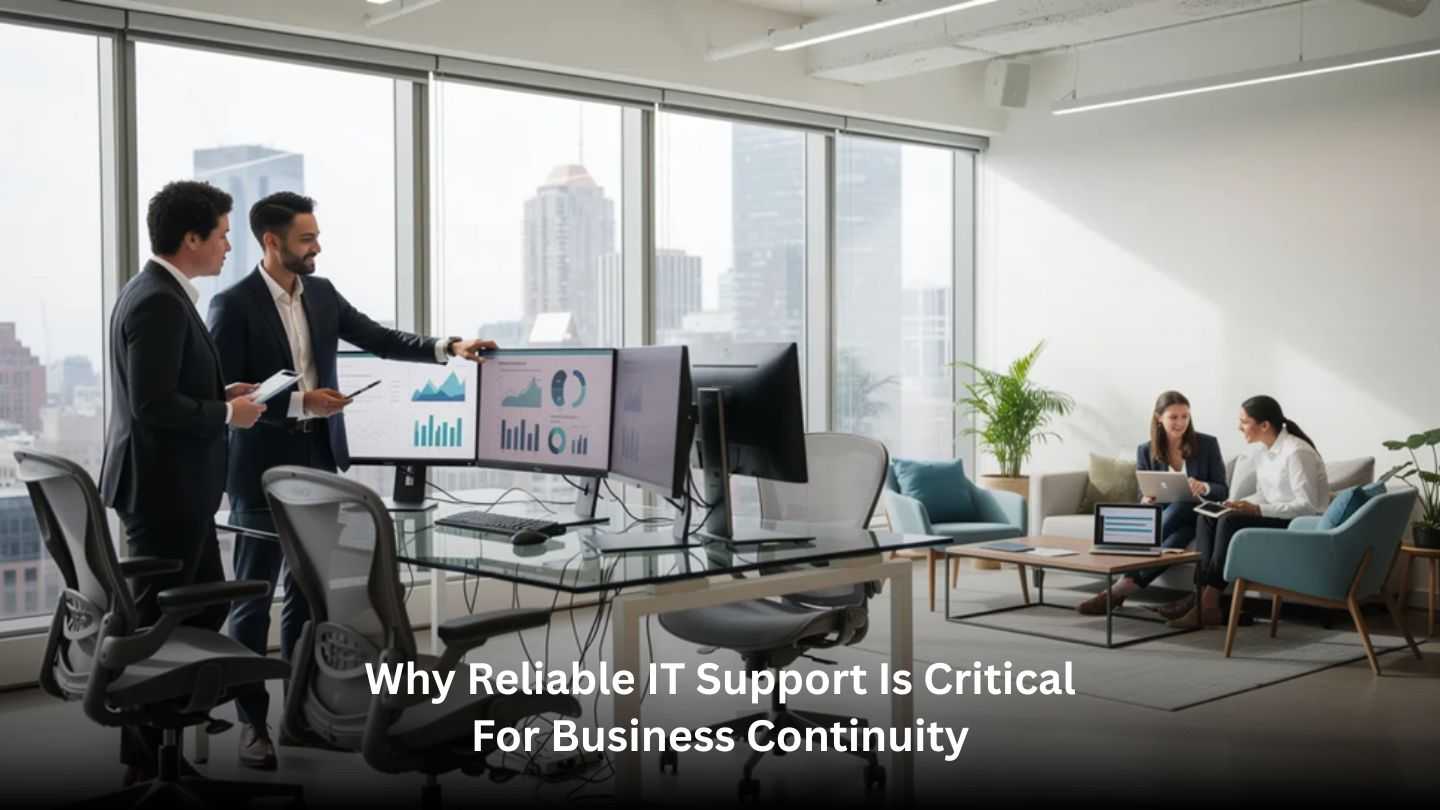
Technology plays a central role in keeping modern businesses running smoothly every day. From communication systems to data management, organizations depend heavily on stable and responsive IT infrastructure. Even a short disruption can impact productivity, customer service, and overall operations. Reliable technical support helps businesses respond quickly to issues and maintain consistent performance. In this blog, we will explore how dependable IT support helps organizations maintain operational stability, reduce downtime, and protect critical systems that keep daily business activities running efficiently.
Key Takeaways
- A 30–60 minute outage of core systems like email, ERP, or CRM can cost thousands in lost revenue and damage customer trust, making reliable IT support a non-negotiable investment.
- Modern business continuity depends on resilient IT infrastructure: secure data, always-on connectivity, tested backups, and rapid recovery capabilities when something breaks.
- Reliable IT support goes beyond fixing problems, it includes proactive monitoring, preventive maintenance, robust cybersecurity measures, and clear incident response processes.
- Organizations with strong IT support keep staff working during disruptions while competitors scramble to recover, turning resilience into a competitive advantage.
- Investing in reliable IT support is now a core part of any serious business continuity strategy, protecting both your operations and your reputation.
Why IT Reliability Now Defines Business Continuity
Every workday, your team relies on email, cloud applications, customer databases, VoIP phones, and remote access tools to get their jobs done. These systems aren’t conveniences anymore, they’re the backbone of how modern businesses operate. When they work, everything flows smoothly. When they don’t, work stops.
Even brief outages can create serious disruptions. Consider a 45-minute Microsoft 365 outage during peak hours: sales can’t respond to prospects, support can’t access customer records, and compliance tasks pile up.
Business continuity, in plain terms, is your organization’s ability to keep serving customers and meeting obligations during and after disruptions like cyberattacks, hardware failures, or regional incidents. And here’s the reality: most critical business functions now run on digital systems. When those systems fail, your ability to operate fails with them.
Understanding Business Continuity in a Technology-Driven World
Today’s business continuity planning is inseparable from IT because most critical processes are now digital and data-driven. Your sales pipeline lives in a CRM, your financial records are in cloud-based accounting software, and your customer communications flow through email and collaboration platforms.
A modern business continuity plan typically includes:
- Identifying critical processes: Which activities must continue for the business to survive and serve customers?
- Defining Recovery Time Objectives (RTOs): How long can each process be down before serious harm occurs?
- Defining Recovery Point Objectives (RPOs): How much data loss is acceptable? An hour’s worth? A day’s worth?
- Mapping IT dependencies: Which servers, applications, network connections, and third-party services support each critical process?
It’s worth understanding the difference between business continuity and disaster recovery. Business continuity covers the broader goal of keeping your organization running, maintaining essential functions, communicating with customers, and meeting obligations. Disaster recovery focuses specifically on restoring IT systems, data, and configurations after a major incident. Disaster recovery supports continuity by ensuring you have a way to get your systems back online.
Reliable IT support teams translate your continuity goals into concrete technology solutions and procedures. When a manufacturing firm says “we can’t afford more than two hours of production downtime,” the IT support team maps shop-floor systems to specific servers, cloud services, and network links, then designs protections to meet that requirement.
How Reliable IT Support Underpins Business Continuity

Moving from theory to practice, reliable IT support is the engine that keeps your continuity plan running day-to-day. Without it, even the best-documented plan sits idle when you need it most.
Reliability in IT support means:
- Predictable response times with clear escalation paths
- Documented processes that don’t depend on one person’s memory
- 24/7 monitoring for critical systems
- Proven procedures for major incidents
Reliable IT support reduces the likelihood of outages through proactive work, patching, capacity planning, and hardware refresh cycles, rather than just reacting to failures after they’ve already impacted business operations, which is why many organizations choose a managed service provider over traditional IT support to ensure continuous monitoring and structured response. During disruptions, from a failed switch to a regional ISP issue, reliable IT support coordinates technical triage, user communication, and workarounds to keep staff productive.
Consider two companies facing a sudden server failure. Company A has no clear IT contact, staff spend an hour figuring out who to call, another hour explaining the problem, and half a day waiting for someone to arrive. Company B has a defined support team with monitoring already in place. The support provider detected the issue within minutes, started troubleshooting immediately, and restored service within their agreed SLA. The difference in business impact is dramatic.
Proactive Monitoring and Preventive Maintenance
Always-on monitoring systems are now standard for servers, cloud services, network devices, and security logs. This isn’t about watching screens around the clock, it’s about automated systems that detect issues like failing disks, high CPU usage, or unusual login patterns before they cause business-impacting outages.
Reliable IT support uses proactive monitoring to catch problems early. Concrete activities include:
- Scheduled patching of operating systems and applications
- Firmware updates on firewalls, switches, and other network equipment
- Routine health checks on backups and storage systems
- Capacity planning to prevent systems from running out of resources
The continuity benefit is significant: proactive maintenance drastically reduces unplanned downtime, extends equipment life, and prevents minor issues from turning into multi-hour outages. Imagine detecting a storage array error overnight and resolving it before staff arrive the next morning, versus discovering the same error when the system crashes during a busy Monday.
Robust Data Backup and Tested Disaster Recovery
Your data, email archives, customer records, financial systems, intellectual property, is often the most irreplaceable asset during a disruption. Losing critical data can mean losing the ability to operate.
Modern backup approaches go well beyond simple file copies:
| Backup Approach | What It Protects Against |
| Image-based backups | Full system recovery including OS and configurations |
| Cloud backups | Local hardware failure or site-level disasters |
| Immutable backups | Ransomware that tries to encrypt or delete backup files |
| Geographic redundancy | Regional disasters affecting entire locations |
But here’s where many organizations fall short: reliable IT support doesn’t just configure backups, it schedules and documents regular data backups with test restores to verify data can actually be recovered within required RTOs and RPOs.
Consider a practical example: a corrupted database that would have caused a full day of lost transactions is instead recovered from the previous night’s backup, restoring service within two hours. That’s the difference between a disaster recovery plan that exists on paper and one that actually works.
A proper IT disaster recovery plan accounts for more than just files; it includes applications, configurations, network dependencies, and the sequence of steps needed to bring everything back online together.
Cybersecurity and Threat Response as Continuity Essentials
Cyber threats, especially ransomware and phishing, are now among the most common causes of major business interruptions.
Reliable IT support manages multiple layers of protection:
- Next-generation firewalls and network security
- Endpoint protection on workstations and servers
- Multi-factor authentication and identity management
- Email filtering to catch phishing attempts
- Employee training on security awareness
Beyond prevention, you need a defined incident response playbook: whom to call first, how to isolate infected systems, when to invoke backups, and how to communicate with staff and customers. Good cybersecurity isn’t just about avoiding fines and data loss; it’s a central pillar of staying operational when attackers target your environment.
Strong endpoint controls and rapid IT intervention can stop encryption attempts before they spread. The difference between a minor security incident and a multi-day shutdown often comes down to detection speed and response readiness.
Cloud Solutions, Remote Access, and Location-Independent Work
Many continuity strategies now rely on cloud-hosted applications, Microsoft 365, Google Workspace, CRM platforms, and line-of-business SaaS, combined with secure remote access. This approach means work can continue even when your primary location is unavailable.
Reliable IT support designs and manages:
- VPNs and Zero Trust access controls
- Identity management with single sign-on
- Backup connectivity, such as secondary internet connections
- Secure configurations for remote work tools
Consider a building power failure or a local severe weather event. With the right cloud solutions and remote access capabilities already in place, staff can switch to working from home within an hour. Without that preparation, everyone waits until the building is operational again.
Regular Testing, Drills, and Continuous Improvement
An untested continuity plan or untested failover system is a risk, not a safety net. You won’t know if your recovery strategies work until you actually test them.
Reliable IT support schedules and runs regular tests:
- Backup restores (quarterly restore tests of randomly selected systems or files)
- Failover tests between primary and secondary data centers
- Simulated outages of critical applications
- Annual full-scale disaster recovery exercises
Each test should produce a lessons-learned summary and updates to both IT procedures and business continuity documentation. This ongoing testing builds a culture of continuous improvement so your plan evolves with new systems, new threats, and organizational changes.
Operational Benefits of Reliable IT Support for Business Continuity

Beyond the technical protections, what do you actually gain from reliable IT support? The outcomes matter most: fewer interruptions, shorter incidents, and more confidence in meeting customer commitments.
For perspective on financial impact: midsize to large enterprises now typically incur over US$300,000 per hour of downtime, with some reporting well over US$1 million per hour depending on industry. For small and medium businesses, even brief disruptions of 30-60 minutes across core systems can represent thousands of dollars in direct losses and potential contract penalties.
Reduced Downtime and Faster Recovery
Reliable IT support reduces both the frequency of outages through prevention and the duration of incidents through rapid, structured response. When your monitoring systems detect an issue and your support team knows exactly how to escalate and resolve it, recovery happens faster.
Compare a one-hour outage to a half-day outage in terms of:
- Lost orders and revenue
- Idle staff unable to work
- SLA penalties with customers
- Customer dissatisfaction and potential churn
Clearly defined Service Level Agreements for response and resolution times are a tangible way businesses experience the value of reliable IT support. These reductions in downtime directly support the core goal of ensuring business continuity: staying open and serving customers despite disruptions.
Cost Control and Predictable IT Spending
Unplanned downtime and emergency “break-fix” responses often cost far more than proactive, managed IT services. When you’re calling for help in a crisis, urgency drives up costs and reduces your negotiating position.
Predictable monthly IT support costs cover monitoring, proactive maintenance, user support, and continuity planning activities. This approach helps avoid and can even contribute to managed IT services that drive business growth:
- Emergency recovery service fees
- Premium rates for after-hours crisis response
- Costs of replacing failed equipment with expedited shipping
- Fines and reputational damage from compliance failures
Reactive support means paying per crisis. Proactive support means paying to prevent crises and limit their impact when they occur. Predictable IT spending also enables better overall budgeting for continuity investments such as backup connectivity, cloud redundancies, and enhanced data security controls.
Stronger Data Protection and Regulatory Compliance
Reliable IT support helps align technical controls with legal and compliance requirements, including data retention policies, breach notification rules, and access control requirements.
Common frameworks like HIPAA (healthcare) or GDPR (organizations handling EU personal data) require specific protections. IT support teams implement and maintain:
- Encryption for sensitive data at rest and in transit
- Access controls limiting who can view critical data
- Audit logs tracking system access and changes
- Secure data disposal when retention periods end
Validated backup and recovery processes are often required by regulators and industry standards. Strong compliance posture supports continuity by preventing forced shutdowns, significant financial losses from fines, or legal actions that can arise from unmanaged incidents.
Improved Stakeholder Confidence and Reputation
Customers, partners, insurers, and investors increasingly ask about business continuity and cybersecurity readiness. Being able to demonstrate reliable IT support, documented continuity plans, and evidence of regular testing contributes to confident answers in due diligence questionnaires and contract negotiations.
Organizations that demonstrate strong continuity capabilities often win or retain key clients who require proof of resilience in vendor assessments. Consistently staying online during regional disruptions can set a business apart from competitors still scrambling to recover.
Being seen as dependable and prepared is a direct result of the behind-the-scenes reliability of IT support, and it translates directly to brand reputation and customer trust.
Aligning IT Support with Your Business Continuity Strategy

Making sure IT support activities truly match your business’s continuity priorities requires deliberate alignment. This isn’t just an IT exercise, it’s a business strategy conversation.
Alignment starts with understanding which processes cannot be down. Is it order processing? Patient records? Financial transactions? And critically: how long can each be offline before the impact becomes unacceptable?
IT leaders, operations, finance, and executive teams should all contribute to defining continuity needs and acceptable recovery times. Map each critical business function to its supporting systems, data, vendors, and IT services. This alignment should be revisited at least annually or after major changes like mergers, system migrations, or expansions into new locations.
Translating Business Priorities into Technical Requirements
Reliable IT support teams take plain-language business goals and translate them into precise technical targets. When operations says “we can’t be without our CRM for more than 2 hours,” IT translates that into specific RTOs and RPOs.
This translation results in concrete design decisions:
| Business Requirement | Technical Implementation |
| CRM must be available within 2 hours | High-availability configuration, hourly backups, documented failover procedure. |
| Email can tolerate a 4-hour recovery. | Standard backup schedule, next-business-day failover acceptable |
| Financial data loss must be under 1 hour | Continuous replication or hourly snapshots |
This process prevents over-investing in low-priority systems and under-protecting high-priority ones. Well-aligned technical requirements also make it easier to evaluate whether current IT support arrangements are sufficient.
Documented Processes, Roles, and Communication Plans
During a real incident, confusion over “who does what” can increase downtime more than the technical issue itself. Clear documentation matters.
Reliable IT support contributes to a clear runbook covering:
- Who leads technical triage
- Who communicates with the staff
- Who talks to customers and external stakeholders
- Who approves major decisions like failover to secondary systems
Communication templates for email, SMS, or status pages can be prepared in advance. Having a pre-defined communication plan for a major SaaS outage, telling staff what to expect and which workarounds to use, keeps everyone informed without delaying technical work.
Good documentation must be regularly updated when systems, providers, or team structures change. Outdated contact lists and procedures create dangerous gaps when you need them most.
Training Staff to Respond Confidently During Disruptions
Non-technical staff play a key role in continuity. They’re often the first to notice something is wrong, and their actions during an incident can help or hinder recovery.
IT support can deliver regular, concise employee training sessions on:
- What to do if systems are slow or unresponsive
- How to report suspicious emails
- How to access remote systems in an emergency
- Who to contact and what information to provide
Tabletop exercises, where teams walk through a simulated outage and practice their roles, build confidence and reveal gaps before real incidents occur. Well-trained staff reduce panic, avoid unsafe improvisation, and help IT teams resolve incidents faster by providing accurate information.
Training should be short, practical, and repeated periodically to account for employee turnover and new tools.
Choosing IT Support That Truly Supports Business Continuity
Not all IT support providers or internal IT setups offer the same level of continuity readiness. The difference only becomes apparent when you’re in the middle of a crisis, which is the worst time to discover your support falls short.
Evaluate IT support through the lens of resilience: prevention capabilities, response times, continuity experience, and cultural fit. Selection criteria should go beyond cost to include experience with disaster recovery, security, cloud services, and 24/7 monitoring, as well as the key factors outlined in how to choose a managed service provider.
A warning worth heeding: relying solely on ad-hoc, one-person support for mission-critical environments creates significant risk. Without redundancy or documented processes, you’re one illness, vacation, or resignation away from a gap in coverage.
Ensuring Operational Stability with Dependable IT Support
Reliable IT support plays a vital role in maintaining business continuity. Consistent monitoring, proactive maintenance, and rapid response to technical issues help organizations minimize downtime and protect essential operations. With the right support strategy in place, businesses can maintain productivity, safeguard data, and ensure critical systems remain available when they are needed most.
IntegriCom provides IT support in Alpharetta and delivers dependable technology support through managed IT solutions for business, telephony, cloud services, and network services for computers to keep systems stable and secure. Partner with us to strengthen your IT environment and ensure your operations remain resilient and uninterrupted.
Frequently Asked Questions
How often should we review and update our business continuity and IT disaster recovery plans?
Business continuity and disaster recovery plans should be reviewed at least once a year or after major organizational changes. Updates should verify system inventories, backup settings, contact lists, and third-party dependencies to ensure the plan remains accurate and effective.
What’s the difference between having internal IT staff and using an external IT support provider for continuity?
Internal IT teams understand company operations and strategy, while external providers often deliver 24/7 monitoring, broader technical expertise, and structured incident response processes. Many businesses combine both to balance internal knowledge with specialized technical support.
How can small and mid-sized businesses afford reliable IT support without enterprise budgets?
Small and mid-sized businesses can focus on protecting critical systems first and use scalable managed IT service plans. Tiered pricing models allow companies to match services with their risk level and budget while still maintaining strong monitoring and backups.
What metrics should we track to know if our IT support is helping business continuity?
Key metrics include system uptime, average time to detect and resolve incidents, backup success rates, and recovery testing results. Tracking these indicators helps organizations measure reliability, identify recurring problems, and improve their overall continuity strategy.
Do we really need 24/7 IT monitoring if our business only operates during normal office hours?
Yes. Many technical issues and cyber threats occur outside regular working hours. Continuous monitoring allows teams to detect problems early, run updates or backups overnight, and resolve issues before employees return, reducing disruptions to daily operations.