...
Proud to be one of only a few Georgia MSPs on the 2026 MSP 501 list. See the announcement

IT services across Metro Atlanta & North Georgia

17 locations served — click a city to see services available in your area

Local experts
Select your location

    Atlanta, GA

    Managed IT services for Atlanta businesses

    ★ Why IntegriCom

    No term contracts. Just commitment.

    Trusted IT partner for businesses across Georgia. Same-day response, senior engineers, zero lock-in.

    20+
    Years serving GA
    17
    Cities covered
    Get a free IT assessment
    678-507-0700
    Mon–Fri · 7am–6pm

    IT services across Metro Atlanta & North Georgia

    17 locations served — click a city to see services available in your area

    Local experts
    Select your location

      Atlanta, GA

      Managed IT services for Atlanta businesses

      ★ Why IntegriCom

      No term contracts. Just commitment.

      Trusted IT partner for businesses across Georgia. Same-day response, senior engineers, zero lock-in.

      20+
      Years serving GA
      17
      Cities covered
      Get a free IT assessment
      678-507-0700
      Mon–Fri · 7am–6pm

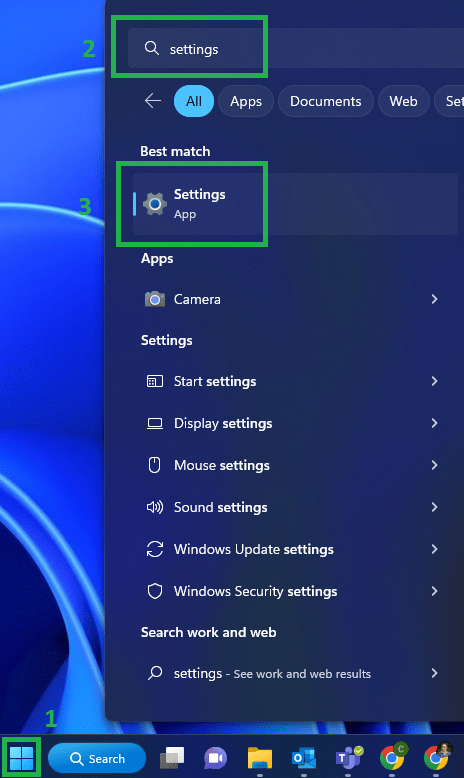
      On your, Desktop go to the Windows Icon search “Settings” and click on settings
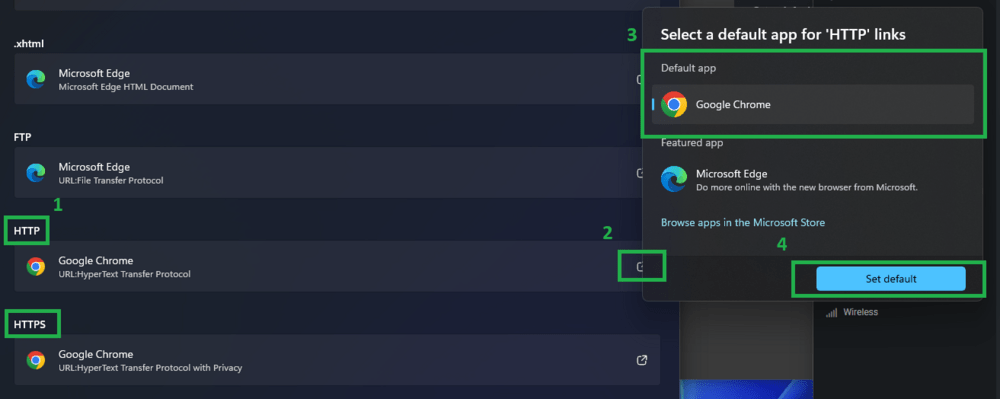
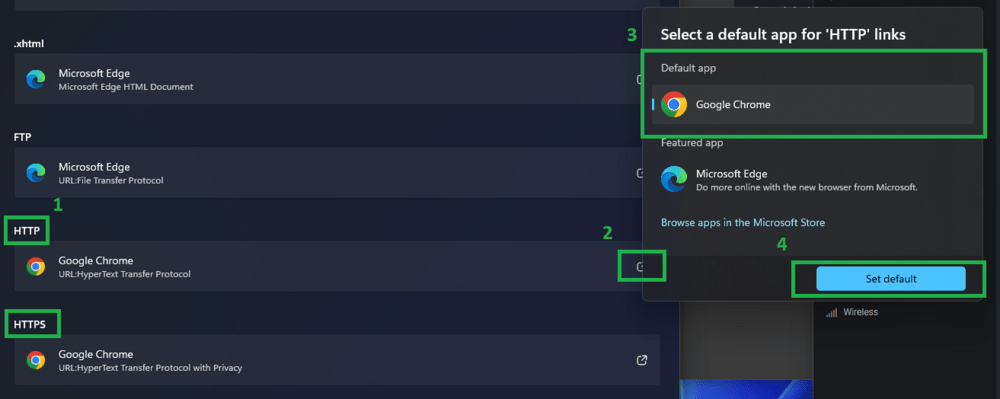
      Windows Default Apps Browser htp https Screenshot

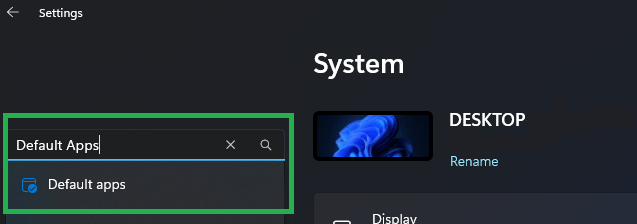
      In the top left search box type in “Default Apps” and click it
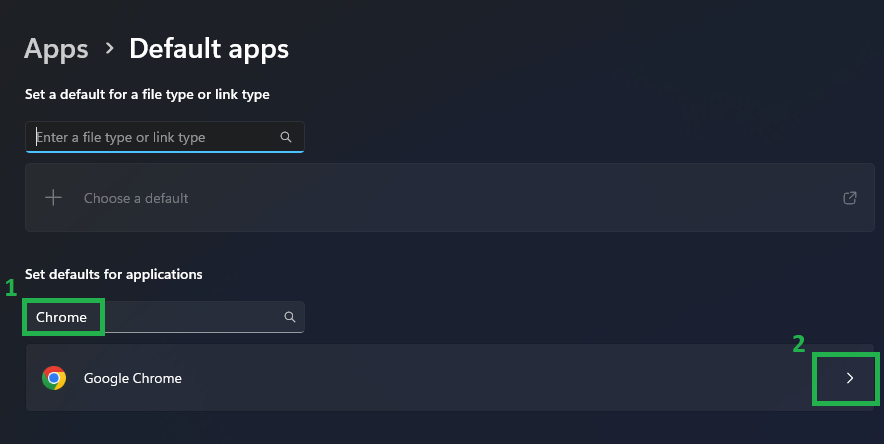
      Windows Default Apps Browser Screenshot

      Search for your favorite web browser for example Google Chrome
      Windows Default Apps Screenshot

      Scroll down until you find “HTTP” and “HTTPS”. Set those at your new default browser
      Windows Settings Screenshot